Skip to content
-
Subscribe to our newsletter & never miss our best posts. Subscribe Now!
motka motka

Grab your great motka!

motka motka

Grab your great motka!

  • DMCA
  • Plug-ins
    • After Effects
    • Photoshop
    • Illustrator
    • 3ds Max
  • Software
    • Windows
    • Mac ?
  • About
  • Contact
  • PhotoShop
    • Lightroom Presets
  • LUTs
  • Footages
  • DMCA
  • Plug-ins
    • After Effects
    • Photoshop
    • Illustrator
    • 3ds Max
  • Software
    • Windows
    • Mac ?
  • About
  • Contact
  • PhotoShop
    • Lightroom Presets
  • LUTs
  • Footages
Close

Search

  • https://www.facebook.com/
  • https://twitter.com/
  • https://t.me/
  • https://www.instagram.com/
  • https://youtube.com/
Subscribe
3ds MaxPlug-ins

Material Texture Loader 1.830 for 3DS Max 2016 – 2025 Free Download

By ranjan kumar
August 16, 2024 3 Min Read
0

Material Texture Loader 1.830 for 3DS Max 2016 – 2025 Free Download

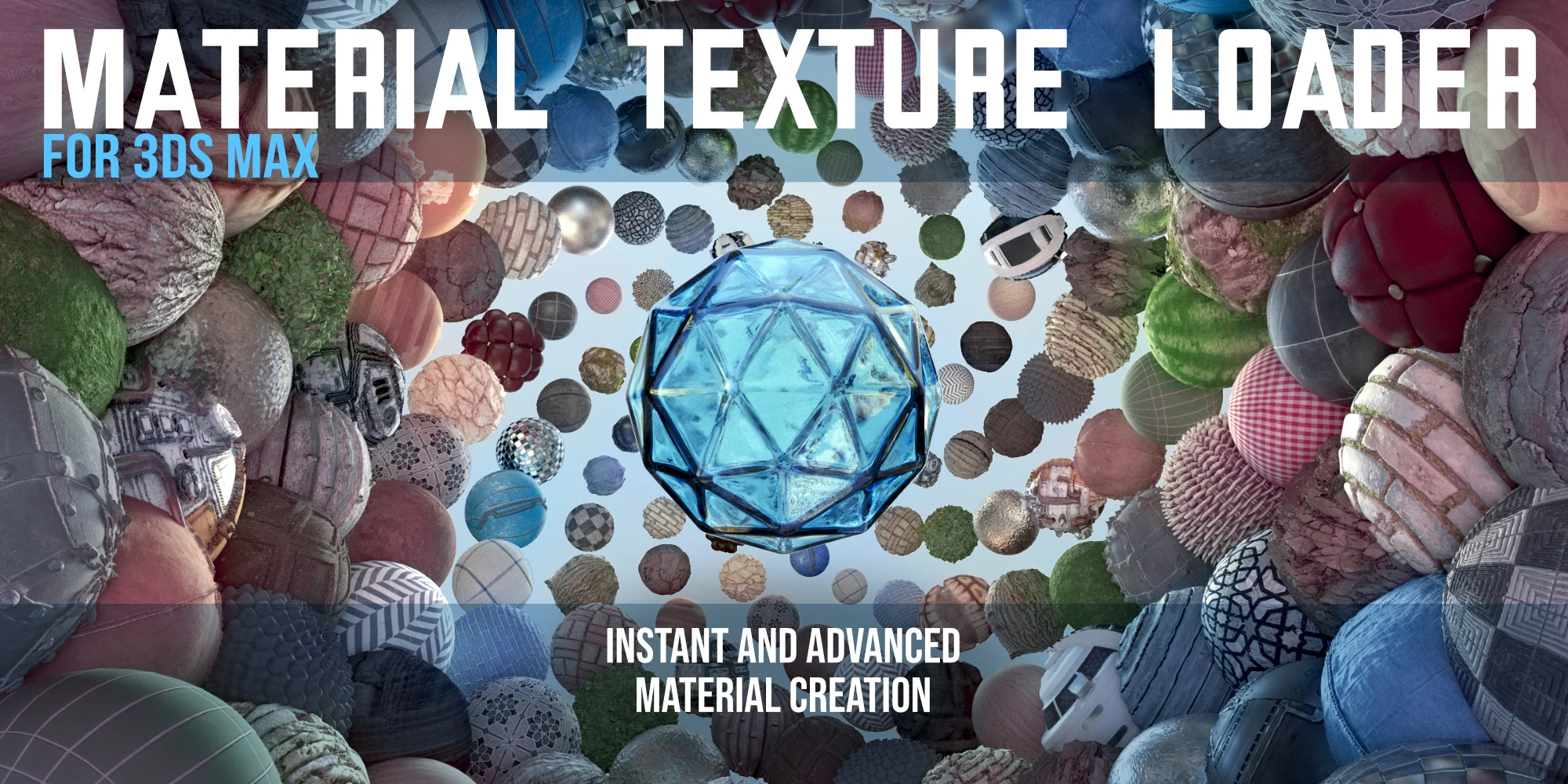
Instantly Create Advanced Materials Setups from PBR Textures

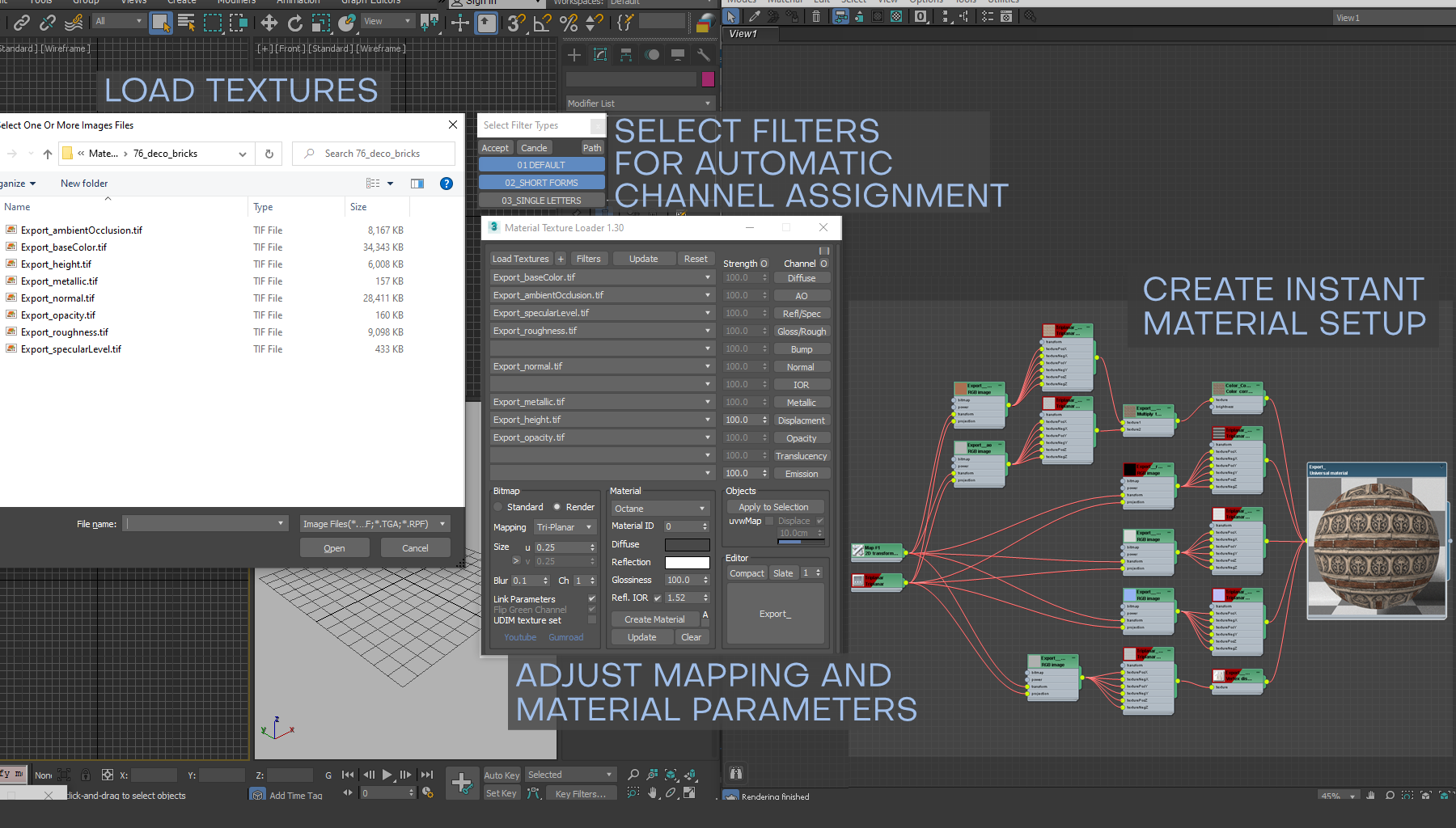
The Material Texture Loader is a 3ds Max script that simplifies the process of loading textures, creating materials, and applying them to your scene. It works with a variety of texture workflows and speeds up the material creation process.

Latest Version

  • 1.830 updated: 06-05-2024

Support

  • 3ds max 2016 to 2025.
  • Vray(v3-6), Corona(v5-11), Redshift, Arnold, FStorm, Octane, PBR, Physical and Standard materials and maps.

Links

  • Help Documentation
  • Scriptspot
  • Youtube

Features

Instant Material Creation

  • Automatic texture recognition and parameter linking for all channels
  • Real-world, tri-planar, random and spherical mapping
  • Specular and Metallic workflow support
  • Settings for color, reflection, glossiness, IOR, ID and 2-Sided materials

Advanced maps setups

  • Per channel color space and gamma input values and adjustments (including ACEScg, sRGB, linear-sRGB, Raw)
  • Color/ao, normal/bump and specular/metallic compositing maps
  • Extensive MaxScript commands to automate the creation process
  • UDIM map loading
  • Settings for blur, map channel, mapping size, rotation and random rotation

Live update and editing

  • Instant rebuilding of textures, maps and parameters
  • Quick texture selection per channel
  • Per channel strength adjustment
  • Switch between presets
  • Show material preview and texture channels in viewport

Easily apply and save materials

  • Include uvw and displacement modifiers on material assignment
  • Add materials and maps to Slate or Compact material editors
  • Save to material library
  • Save material thumbnail

Explanation

When you load in a set of textures, the Material Texture Loader will put textures into a material slot based on certain name conventions that are present in the filename. Textures that have ‘color’ or ‘albedo’ in there name will go into the diffuse slot, ‘refl’ or ‘spec’ named textures go into the reflection slot, etc.

You can manually select or de-select textures from any material slot and once you are happy you can select a bitmap and material type, along with a host of other settings. All settings, including textures and bitmap types can be changed live after creation.

Once the material is created you can apply the material into your scene or material editor.

Gamma for the texture channels is set automatically. Diffuse, Reflection Translucency and Emmision channels are set to gamma 2.2 or sRGB color space. All other gamma values are set to 1.0 or Raw color space. 32bit files can be automatically set to linear-sRGB. You can also select ACEScg.

The material texture loader gives the user the ability to add tri-planar and random rotation mapping to all textures as well as link Cropping and UVW Coordinates, so when you need to adjust these settings, changes will be applied to all created textures at once. This is especially useful when working with atlas textures, but it speeds up pretty much the whole material creation process.


Support

If you have any suggestions, feature request, or bug reports, please email me to the address provided in Support.txt. Future updates will come soon.

Size: 442 KB Download Now
Author

ranjan kumar

Follow Me
Other Articles
Previous

Auto-Rig Pro v3.72.27 FULL (Blender 2.93 – 4.2) Free Download

Next

Sweet Soul Studios – Christmas Minis (studio) actions collection Free Download

No Comment! Be the first one.

Leave a Reply Cancel reply

Your email address will not be published. Required fields are marked *

Checking...

Ouch! There was a server error.
Retry »

Sending message...

FILE REQUEST

Fill your request here and our team will try to post this material on the site

Spambot blocker question

2 + 9 =

  • Aescripts Newton 3.4.24 Free Download
  • SharkPixel – Perfect Lips AI Presets Free Download
  • FrostSoft Vertex Normal Tool v.1.04 Free Download
  • Aescripts shape-motion v1.2.3 Free Download
  • Teal Halloween Lightroom Presets GZJ3UY6 Free Download
  • U-He Bazille 1.1.2 Free Download [WIN+MAC]
  • AEScripts Depth Scanner 1.3.3 GPU Free Download
  • Embroidered Logo Badge Photoshop Action Free Download
  • PolySmoother v2.6.3 Free Download
  • Arturia LoFi 2025 Free Download

Recent Comments

  • Bablu on UVI Xtreme FX 2 Free Download
  • amusician on UVI Xtreme FX 2 Free Download
  • Robin on UVI Xtreme FX 2 Free Download
  • Jose on Magic Touch Panel For Photoshop Free Download
  • jackson on Magic Touch Panel For Photoshop Free Download

Archives

  • May 2026
  • April 2026
  • March 2026
  • February 2026
  • January 2026
  • December 2025
  • November 2025
  • October 2025
  • September 2025
  • August 2025
  • July 2025
  • June 2025
  • May 2025
  • April 2025
  • March 2025
  • February 2025
  • January 2025
  • December 2024
  • November 2024
  • October 2024
  • August 2024
  • July 2024
  • June 2024
  • May 2024
  • April 2024
  • March 2024
  • February 2024
  • January 2024
  • December 2023
  • November 2023
  • October 2023
  • September 2023
  • August 2023
  • July 2023
  • June 2023
  • May 2023
  • April 2023
  • March 2023
  • February 2023
  • January 2023
  • December 2022
  • November 2022
  • October 2022
  • September 2022
  • August 2022
  • July 2022
  • June 2022
  • May 2022
  • April 2022
  • March 2022

Categories

  • 3D CAD
  • 3D Material Rendering
  • 3D Modelling
  • 3D Models & Addons
  • 3ds Max
  • Actions *.ATN
  • After Effects
  • After Effects Project Files
  • Analysis
  • Android
  • Apple Motion Templates
  • Audio
  • Audio Processing
  • Backup Tool
  • Backup Tool
  • Blender
  • Brushes
  • Brushes
  • Bundle
  • CD DVD Tools
  • CINEMA 4D
  • Civil Engineering
  • Communication
  • Converters
  • Data Modeling
  • Data Recovery
  • Database
  • DaVinci Resolve
  • Davinci Resolve
  • Debugger
  • Desktop
  • Devlopment
  • Disk Management
  • Documentation
  • Download Managers
  • Education
  • Email
  • Engineering
  • Exclusive
  • File Sharing
  • Footages
  • Games
  • Graphic Design
  • Graphics
  • HOT PRODUCTS
  • Illustrator
  • Illustrator
  • Image Editors
  • Layered
  • Lightroom Presets
  • LUTs
  • Mac ?
  • Management
  • Management
  • Maths
  • Maya
  • Medical
  • Mobile
  • Mock-Up
  • Mockup
  • Multimedia
  • Music
  • Network
  • Network
  • Office Tools
  • Optimization
  • Other Related Downloads
  • Others
  • Others
  • Overlays & Textures
  • PC GAME
  • PDF Editors
  • Photo Editing
  • Photo Retouching
  • Photography and Video
  • Photoshop
  • PhotoShop
  • Plug-ins
  • PowerPoint Templates
  • Premiere
  • Screen Recording
  • Security
  • Single Fonts
  • Software
  • Sound
  • tutorials
  • Uncategorized
  • Utilities
  • Vectors
  • Video Converter
  • Video Editing
  • Video Effects
  • Video Tutorial
  • VideoHive
  • Windows

Meta

  • Log in
  • Entries feed
  • Comments feed
  • WordPress.org

QUICK LINKS

  • Lightroom Presets
  • Actions
  • Brushes
  • Mock-up

About Us

motka.net

Be the First to Know

Lorem ipsum dolor sit amet, consectetur adipiscing elit. Ut elit tellus, luctus nec ullamcorper mattis, pulvinar dapibus leo.

Privacy Policy | Cookies Policy | Terms and Conditions | Website Accessibility

Copyright 2026 — motka. All rights reserved.