


keKit v3.23 Free Download

keKit [Blender]
Pro Version       3.23   2024-05-26 ISO8601 - Supported: Blender 3.6 LTS, Current
Standard Version  3.19   2024-02-28 ISO8601 - No Support
Copyright © Kjell Emanuelsson - Blender GNU General Public License [GPLv3]
Art content in keKit is copyright © Kjell Emanuelsson & licensed under (See EULA)
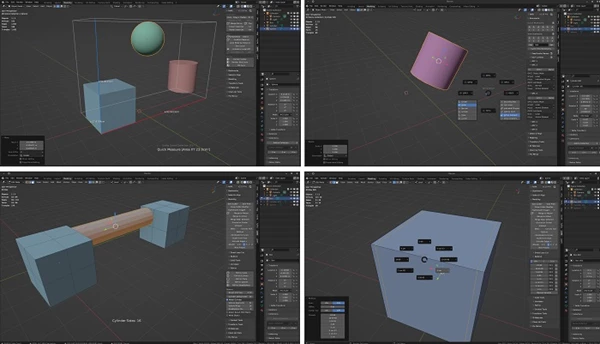
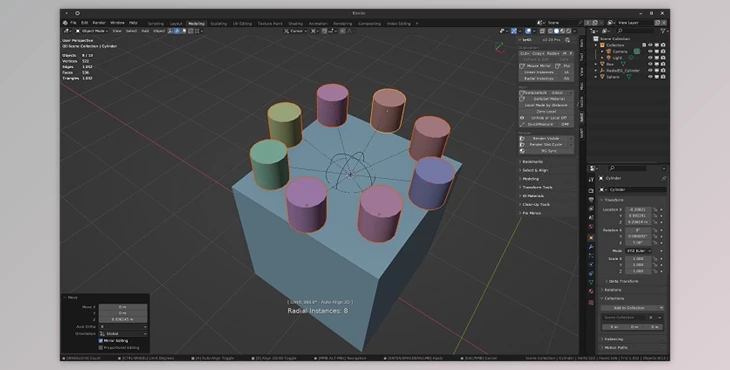
keKit is a General Tool-Kit
- The Add-On provides extensive options for customizing & optimizing workflows.
- An all-in-one collection of Scripts, Tools, Macros and Pie-Menus, etc.
- Modular – The kit is composed of separate modules that can be enabled or disabled.
- At your discretion – No preset shortcuts
Gumroad/Blender Market: Pro version (paid) - GitHub: Standard version (old, unsupported & free)
The Pro version will be updated/patched continuously - Standard version will be updated
Note: These links are the only recommended sources:
DOWNLOAD (Gumroad)
DOWNLOAD (Blender Market)
DOWNLOAD (GitHub)
Documentation:
WIKI
- Please read installation/updating instructions
- Most recent updates:
- Older updates can be found in the
- (Frequently Asked Questions)
Bug Reports / Support / Legal:
SUPPORT
- Please report any bugs/issues using this support form!
- Note: keKit (Pro & Standard) may (or may not) work, in whole or partially, on any version of Blender (2.8+), but is only supported as stated (at the top of the page).
- EULA (Standard Version) can also be found
- EULA (Pro Version) can also be found
— LINKS —
- keKit demos & other videos on
- Public feedback & discussion at
- A separate Add-on with discontinued kekit features
— INSTRUCTIONS —
First Installation
- Install zip-file from prefs/add-ons
- Do not extract zip-file manually
Updating
- To avoid potential issues when updating keKit –
- Follow these steps exactly:
- Quit Blender
- Delete the kekit add-on folder manually
- Do manually extract the new keKit folder from the downloaded zip-file there.
- Restart blender
Kit Preferences
- Export/Import keKit prefs in the Add-on preferences: Use the exported to backup/restore/transfer your settings between Blender installs, different computers, etc.
- Always export your settings before upgrading keKit, and/or Blender
General Use
- keKit is found in the 3d viewport tabs (the “N-panel”)
- Mouse-hover over each script in the keKit panels for tool-tip pop-ups.
- Right mouse button for shortcut assignment.
- Note: No keKit-default shortcuts are preset – you manage your own shortcuts.
v3.23
- [Modeling] Wonkify (NEW)
- OBJECT MODE: Applies minor random transform per VERT, PART or OBJECT – adding a SHAPE KEY
- EDIT MODE: Uses Edges/Faces SELECTION Island(s) similar to ‘Part’ operation
- Non-Mesh objects will not use Shape Keys, but regular Transform OR Delta Transform
- (Principle. No affiliation.)
- [Modeling] Extrude Along Edges (Upd)
- Now supports face mode selections (Note: converts to selection boundaries as edge-loops)
- [Add-on Prefs] Extend Tool Settings (Fix)
- Compensated offset for Paint Texture, Weight and Vertex modes
v3.22
- [Select] Cursor Fit & Align (Upd)
- Complete rewrite (almost): Better edge selection handling (esp. boundaries), better curves handling etc.
- Cursor Rotation Axis Gizmo (NEW option)
- A *temporary* assist for non-tool Cursor Fit & Align workflows:
- Only displays until *ANY* key/button input (*except mousewheel up/down, for now)
- Fix: Micro-offset bugfix for ctx/avg
- [Modeling] Ground Or Center (Upd/Fix)
- Edit Mode now supports the same modes as Object mode (pretty much)
- Changed default to “Active” & raycast on
- Changed “Connected” label to “Loose Parts” to stick with blender nomenclature
- [Geo] FitPrim (Fix)
- 4.1 AutoSmooth: Autosmooth option (when using 4.1+) will now add the Smooth by Angle Modifier
- [Clean-Up] Macro Mesh Clean
- Select – If only 1 object selected now auto switches to edit mode if issues are found
- Select – If many objects are selected now deselects objects if no issues are found
- [Bookmarks] Snap Combos (Fix)
- 3.6 LTS error (version check) fixed (combos can now be stored!)
- Tip: Should some snapping settings not “stick” you may need to set the Combo Slot again (Edit Mode recommended)
v3.21
keKit Standard Version is now only available on GitHub
(Please note that Standard Version updates will be less frequent)
- [kit] Blender 3.6 LTS Compatibility (Fix)
- keKit 3.21 is now fully compatible with the 3.6 Long Term Service release.
- 3.6 LTS support is planned to continue beyond the release of 4.2 LTS, exact end date TBD.
- [Bookmarks] Snap Combos (Upd/Fix)
- Now also fully working in 3.6 LTS, & added some previously ignored props (pre 4.0)
- Slot-storing now also saves userprefs (to make sure changes are properly stored)
- Changes should not affect 4.1+ (as far as I can tell)
- [Geo] Mouse Mirror (Fix)
- Object mode Global transform will now (actually) mirror objects with rotatation intact (but mirrored)
- [Modeling] Bool Knife (Fix)
- Edit Mode cutter polygons no longer also gets sliced – enabling quick re-use
- [kit] Misc (Upd/Fix)
- ‘Extend Tool Settings’ button in keKit UI Settings (in Add-on Prefs) now reloads automatically (& tighter minimum spacing)
v3.20
- [kit] Blender 4.1 Compatibility (Fix)
- Fixed compatibility with Blender 4.1 (still in Beta) – mostly Autosmooth handling:
- All keKit Autosmooth (& Weighted Normals modifier) handling is *disabled* for 4.1+
- TBD: Autosmooth-modifier handling (if/how) (for SubD Toggle & related, mostly)
- To be clear: You can (of course) still use keKit 3.2 for the current release, with Autosmooth as before.
- [Render] Get & Set Material (Upd)
- Added toggle for “Remove Unused” – uncheck to keep all material slots, even if they are not used
-
- [TT] Mouse Axis Move (Upd)
- ‘No Constraint Over’ toggle now also affects Mouse Axis Move (e.g.: for free move & snap action), besides Scale.
- – ON: If mouse is *over* selected geo, no axis constraint will be used (i.e. regular Grab/Resize)
- – OFF: Always constrain axis (default)
Note: Rotate will still always be axis constrained
- [Modeling] Extrude Along Edges (Fix)
- Closed Loops: Better winding detection to prevent wrong direction (offset) mesh creation
- Also added ‘Flip Direction’ option, as fallback (in redo panel)
- [Render] Sync Material & Viewport (Fix)
- Material Properties button: Context error fix
- [kit] Misc (Upd/Fix)
- Updated labels & icons for various properties & menu items (cosmetic)
v3.19
- [kit] keKit Prefs (NEW)
- The exported keKit Prefs file now include assigned (keKit) Shortcuts
- Importing keKit Prefs restores all keKit operator properties
- Useful if “Remove Add-on” is used, Blender point release upgrades (maybe), Clean installs (any add-on shortcut properties-clearing event)
- Example Scenario
- No longer auto-exported every restart. Export is now a completely manual process
- Allowing for custom placement of the exported prefs file – using a pop up file-browser
- Not backwards compatible with older versions of keKit, and vice versa
- Once you have upgraded to 3.19, make sure to export prefs in the new format!
- The new default keKit prefs file name will be versioned (Version nr as a suffix)
- This is cosmetic & just something to help with file management & backup. You can call the file whatever-you-want.json
- Tip: After upgrading to 3.19 – Make a habit of exporting your keKit prefs before upgrading keKit, or Blender!
- [kit] keKit Shortcuts UI (NEW)
- The keKit Shortcuts sub-menu in Add-on prefs now has a 3-choice Mode selector:
- List Assigned
- Shows the currently assigned shortcuts for keKit operators (& pie menus)
- Find Conflicts
- Checks for ‘possible’ conflicts with keKit operators across categories. This is likely to generate mostly false positives. You decide.
- Find Useless
- Checks for invalid shortcuts that are assinged to operators that do not exists (not registered). Likely to add up over the years – with operators being removed, changing names & the user prefs always being imported. Probably safe to delete. You decide.
- [kit] keKit UI (Upd)
- keKit UI toggle-buttons no longer requires reload add-ons or restart to update. Some did, some didn’t – Now all of them will auto-update
- Added toggle-button for Object Context Menu Extras (‘Show in outliner’ & ‘Set Active Collection’) added by the Select & Align Module
- [Render] Sync Material & Viewport (Upd/New)
- Will now (attempt to) calculate an average color if an sRGB image is used for Color
- Now available in keKit Render panel as well (not just in the Material properties panel)
- Relabeled from “Sync to Viewport Display”
- The Render panel button will process ALL the objects materials
- The Material properties button will process the currently active material only
- [Geo] QuickMeasure (Fix)
- Fixed “is running” check so it can no longer get stuck reporting “already running” in rare cases disabling the operator
- Console output now reflects QM display mode. Also, For reference.
- [Render] Render Visible / Slot Cycle (Fix)
- Fixed “is running” check so it can no longer get stuck reporting “already running” – in rare cases disabling the operators
- [Render] BG Sync (Fix)
- Will now sync correctly if the background image has been removed from the Texture Node
- [Context] Context Delete (Fix)
- Separate handling for Edit Mode (requires only active/context object) & Object Mode (requires a selected object)


