


Garment Tool v2.1.0 for Blender Free Download

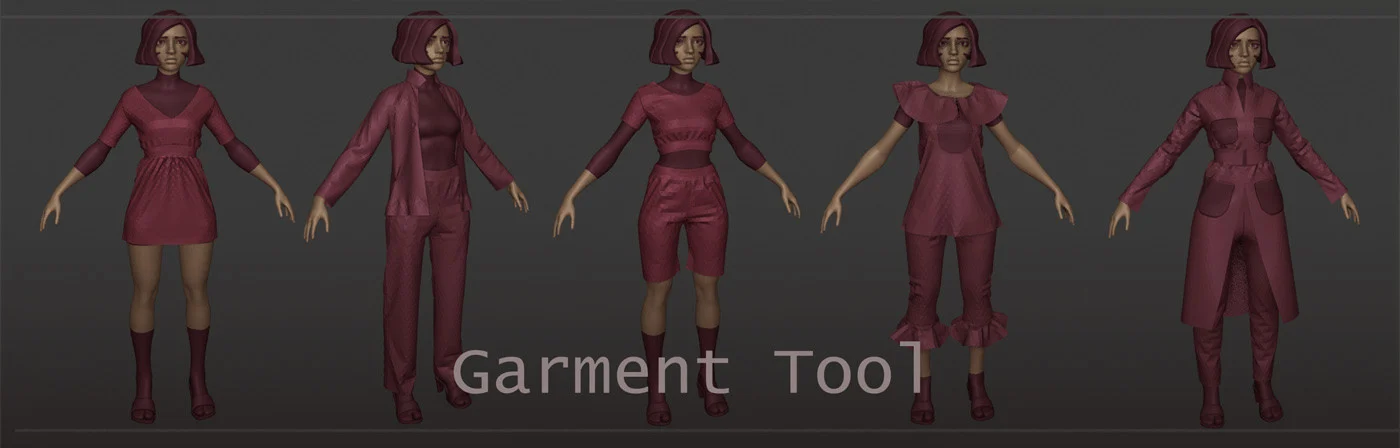
Garment Tool is Blender add-on (for Blender 3.6 and 4.x) for designing garments (like Marvelous Designer) from 2D Bezier Curves, sewed together and then triangulated into final, simulation ready cloth mesh. You can design your own clothes from scratch or start from few simple presets and then build it up from there.
Features
- sewing tool > connect patterns segments together directly in 3d view-port,
- generate evenly triangulated mesh with adjustable resolution,
- cloth physics presets – create and load your cloth presets (few example ones are included – cotton, denim, silk, leather etc.)
- wrap your clothes around character limbs – with custom wrap/bend tool,
- interaction with simulated cloth
- supports for cutting holes, slicing sewing patterns (in 2d curve mode)
- quick start presets, and garments library – to save/load your sewing patterns . Few samples are included in GarmentsExampleLibrary.zip file.
- helper tools for symmetrize, splitting, duplicating, flipping etc. 2d curve sewing patterns.
- Pocket tool for generating sewings from source patterns to target pattern
- Bind Tool -> project your 3d mesh, on surface of simulated cloth (useful for making attachments, bags, pockets, etc.)
- saving baked simulation into shape-key, so that you can jump to simulation of another garment part – without having to simulate all garments at once
Business vs Individual license: if you are company with above 140k $ income please purchase Business version. Otherwise you can buy individual license. Both licenses (Studio and Standard) can be used commercially
Refunds – you can get refund for Garment Tool, if you request it – withing 2 weeks after purchase.
Limitations
- Rarely but it happens that triangulation fails to find solution for given sewing pattern. Usually increasing triangulation resolution parameters fixes that.
- Since blender 3.4 and up cloth pulling and pining wont work – due to bug in blender cloth sim (it is reported here ) . The cloth pulling was replaced with forcefield trick. – but it is not as good as old method.
What you get:
- Garment Tool addon for Blender 3.6 and 4.x
- example garments library in GarmentsExampleLibrary.zip
Update 1.0.2 (8.03.2019):
- Fix low max_segment value – would not let user define segments above 13. Affected duplicate sewed, and other tools)
- Improved triangulation results on complex patterns
- Duplicate sewed – add option instance vs copy.
- Warning icon added next to garment resolution slider – if output garment poly-count may be high, generating mesh may be slow.
Update 1.0.4 (27.03.2019):
- added auto-update feature, in addon preferences. When new release is out, you can use auto-update to automatically download and install new version.
Update 1.0.5 (30.04.2019):
- Added Garment Library – gives you ability to save/load cloth sewing patterns (I uploaded sample presets to GarmentsExampleLibrary.zip file on gumroad)
- Option in preferences do display segment lengths in cm
- Fixes to auto-update
- Fixed symmetrize
Update 1.0.6 (23.05.2019):
- Compatibility with latest blender builds (only use with blender builds after 22 may!)
- This is big update (still WIP) with added support for cutting holes is sewing patterns
Update 1.0.7 (29.05.2019):
- Version with support for cutting holes in sewing patterns added
Update 1.0.9 (30.06.2019):
- fixed pins and pockets (were broken after added holes support),
- added outline type of sewing pattern support (curves that wont be filled with mesh)
- auto generate uv when creating cloth
- new ability to disable sewing patterns
- improved symmetrize and cut in half
- bugfixes
Update 1.1.0 (28.07.2019):
- added ability to pull cloth with your mouse
- bug fix: skip uv if mesh has no faces
Update 1.2 (11.06.2020)
- New Quad output method
- new Pattern Knife tool
- new Sewings Overlay
- new ‘Finalize Cloth’
- Simplified and streamlined UI and UX
- bugfixes and small improvements
1.2.1 Release (updated – 28.06.2020),
- New Pin to mesh or empty 3d space,
- new inner non-cyclic sewings support (without crossing),
- new outer 3D non-cyclic curves support,
- improved ‘segment subdivide’,
- fix error when cyclic sewings are detected,
- fix Knife Pattern – adjacent verts handles were not aligned
- bugfixes in small improvements
- added support for sewings with pockets
- fix Finalize Cloth giving bad collapsed result
1.2.2 (04.08.2020)
- fixed auto-updater on mac
- Fix bug with Binding Mesh
- cloth baking can now be cancelled with (ESC) key
- other bug-fixes
1.2.3 (26.11.2020)
- Blender 2.91 support added
1.2.4(18.02.2021)
- more bug-fixes
1.2.5 (03.06.2021)
- added support for Blender 2.93
- bug-fixes
2.0.0 Release (updated 15.02.2024),
- added option to assign different cloth physics presets, for each sewing pattern,
- simpler bending of sewing patterns,
- updated UI,
- added compatibility with Blender 3.6 and 4.x,
2.0.1 Release (updated 21.02.2024):
- fixed ‘Edit Pins’ not working,
- Fix bmesh crease edges error (switched to new Blender 4.x api)
- other bugfixes
2.0.3 Release (updated 29.02.2024):
- fixed error (for some users) when Loading Global Cloth Physics Presets
- fix cyclic dependency in library,
- Do not weld Pinned edges when using Finalize,
- Fixed ‘Bind Project’ giving error,
2.0.4 (updated 22..03.2024):
- Blender 4.1 compatibility fixes,
- Added option to transfer sewing patterns (and associated sewings) from one garment to another,
2.1.0 Release (updated 19.07.2024),
- Added material presets to library,
- Added Stitches Generator,
- Added Solidify modifier,
- Added Curvature Generator,


